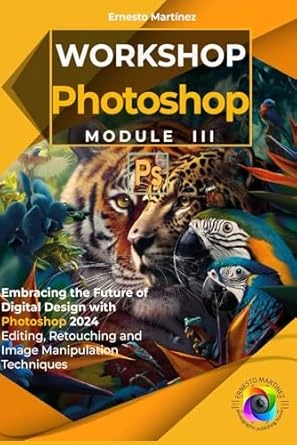
Welcome to the book “Photoshop Workshop. Module III” A complete guide for design and digital art enthusiasts. This work is born from a passion for creativity and the desire to train people of all ages and levels of experience so that they can master one of the most powerful tools in the world of design and digital publishing.
The structure of the book guides the reader through the exploration of key elements in the world of digital publishing and Photoshop, It stands out as the essential tool to develop the creative projects of photographers and designers. In the pages that follow, we will evaluate the most used techniques in Photoshop, ranging from basic image adjustments to complex manipulations.
Among the most used functions that we will examine in these pages is the adjustment of levels and curves, which allows you to control the brightness and contrast to give life to the photographs. Color correction is another crucial technique, used to achieve natural skin tones or modify the mood of an image. Portrait retouching, including softening skin and enhancing details such as eyes and lips, is a highly valued skill, and we will explain it in detail in this book. With the help of selection tools, such as the magic wand and the pen, essential for editing specific parts of an image or for making precise crops, we will enhance the aesthetics of our images.
In the previous module, we studied everything related to layers and layer masks, which offer us detailed control over editing, allowing us to apply effects or changes to particular segments without affecting the rest of the image. In this installment, we will put everything into practice learned, with examples and practical exercises.
Additionally, we will study restoration techniques for old and damaged photos, such as removing stains and scratches, essential for preserving memories. We will explain step by step what is related to the creation of compositions by superimposing images and applying filters and special effects, a fundamental technique in the creative field that opens up a range of artistic possibilities.
Integrating text and vector graphics into images is also a common practice in graphic design. Finally, we will review image optimization and composition techniques to provide the final finish, a crucial step to ensure the aesthetic quality and functionality of the works.
These techniques, among many others that we will see below, form the basis of editing and retouching work in Photoshop, and mastering them is essential for any professional in the field. With this book, we aim to guide you through the entire learning journey.
Our goal is that by the end of this book, you will not only feel comfortable using Photoshop, but also be inspired to explore their creativity and apply what they have learned to their own projects.
Due to how complex learning this software is, we have divided the book into “Photoshop Workshop” in 3 modules.
Module I: General architecture of the program, basic concepts and how to handle ourselves within the application.
Module II: Gallery Tools, Commands, Filters, Layers, Selections, Masks.
Module III: Techniques for Editing, Manipulation and Composition of digital images.
We thank you for joining us on this learning journey and hope you enjoy the process as much as we enjoyed creating this book.
Let’s immerse ourselves in the wonderful world of Photoshop and discover everything this amazing tool has to offer!