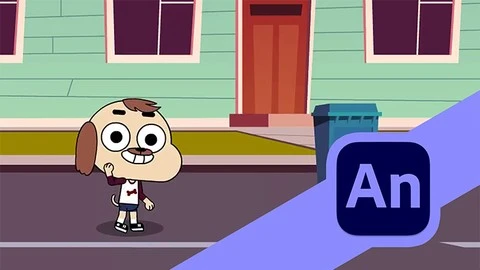
What you’ll learn
- You will learn how to use Adobe Animate software
- You will learn how to draw a character and rig it
- You will learn about different animation techniques used in animate
- You will learn how to make a reusable animated asset
- You will learn how to create a simple animated story with audio
- You will learn how to export the final video
Requirements
No experience needed, you will learn how to create the character, animate and export the final video
Description
If you are looking for a way to learn how to create animated movies the easiest way then this is the course for you. In this course you will learn how to create a full animated scene in Adobe Animate.Adobe Animate is a powerful 2D animation program with versatile tools for animation.This course will teach you how to use Adobe Animate to create an animated scene with your original characters.Even if you have no prior knowledge of animation or any other drawing software, this course will help you learn the basics to get you started.Starting from scratch, you will learn how to use the software effectively to create a full animated scene from start to finish complete with background music and sound effects.What will you learn during this course?Adobe Animate interface and tools.Different methods for importing images into the software.Working with symbols and shapes.Sketching the character.Masking and creating a simple rig for animation.Different types of tweening used in animation.Creating re-usable animated assets.Using animated assets into a scene.Implementing music and sound effects.Exporting the final animation.Throughout the course I will go over useful shortcuts and best practices to make your animation process efficient.I strive to create lectures that are both highly informative and easy to understand. All of the practices that you will learn, comes from personal experience with 2D animation. The aim of this lecture is to help all the animation enthusiasts, regardless of the level of their prior experience in animation.
Overview
Section 1: Course Introduction
Lecture 1 Course Content
Section 2: Adobe Animate Basics
Lecture 2 Interface and Navigation
Lecture 3 Drawing Tools
Lecture 4 Shapes and Symbols
Section 3: Sketching and Rigging
Lecture 5 Sketching the Character
Lecture 6 Rigging and Masking
Section 4: Animation
Lecture 7 Creating Animations
Lecture 8 Tweening and Motion Paths
Lecture 9 Creating a Scene
Lecture 10 Adding Music and Exporting
Complete beginners who want to learn animation,Content creators who want to make animated content for youtube or social media,2D game developers who want to make animations for cutscenes,Artists who want to make motion graphic content.