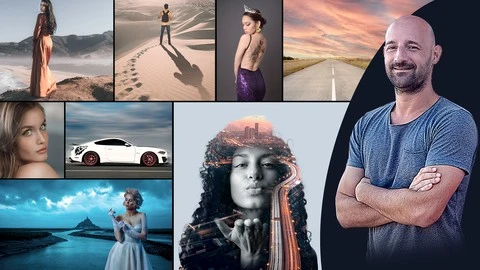
What you’ll learn
- Learn Photoshop with an easy, fast and progressive method
- Create realistic photomontages
- Color and contrast adjustments
- Manage layers, text and Photoshop filters
- Remove pimples from a face with a single click
- Use the power of the mask to work in a reversible way
- Retouch photographs like a pro
- Make a subject magically disappear in seconds
- Clone elements, duplicate them with the Stamp tool
- Distort an image to give it perspective
- Deform an element and its curves to make it unique
- Use transparent layers to enhance your composite
- Detach a subject from its background with a single click
- Apply speed blur effects to boost your photos
- Distort clothes or hair very easily and fastly
- Replace a sky quickly and make it spectacular
- Bring an old photo back to life with a few clicks
- Change the posture of any subject
- Change the color of a dress to harmonize your photo
- Create stunning posters with eye-catching typographies
- Master artificial intelligence to harmonize your photos
Master the basics of Photoshop !
Who am I ?
I am Rene Franceschi, graphic designer and professional trainer for more than 15 years on Photoshop, Illustrator and InDesign.
I have trained thousands of students at INSEEC in Paris, graphic design schools and training organizations.
As a graphic designer for Adobe Stock, I have created hundreds of logos, posters, magazines, illustrations for major brands such as Danone, Orange, Eurosport, La prairie, Havas Media, Chantelle, Wilkinson, Envato.
What will I learn ?
Whatever your level, during my training, you will learn the basics of the software.
This complete training, guided step by step, contains +66 modules, 4 hours of online videos with unlimited access.
Discover Photoshop, with exciting and educational workshops :
-
Eliminate pimples on a face with a single click
-
Make a subject disappear, as if by magic, in a few seconds
-
Clone or mask objects as you wish
-
Distort an image to give it perspective
-
Learn how to easily add a tattoo to a subject
-
Change the posture of a subject
-
Add transparent layers to boost your composition
-
Detach a subject from its background in one click
-
Instantly replace a sky to make it spectacular
-
Change the color of a dress to match your photo
-
Use masks to integrate layers in a reversible way
-
Bring an old photo back to life with a few clicks
-
Create beautiful posters with impactful typography
-
Apply speed blur effects to energize your photos
-
Easily distort a dress or hair
-
Create amazing posters or content for social networks
What are the highlights of my course ?
-
Updated videos that are always up to date
-
Discover what’s new in Photoshop
-
Easy, quick and progressive learning process
-
Professional and experienced teacher
-
Simple and effective practical workshops
Who this course is for:
- All public, photographers, illustrators, graphic artists, architects, designers, draftsmen