What you’ll learn
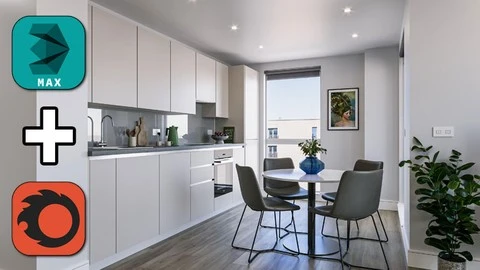
- Create A Photorealistic 3D Render Image From Scratch to Finsih
- Render Like A Pro
- Learn The Secrets, Quick Tips & Tricks of ArchViz Artists
- Learn Basic 3ds Max Modeling Tools
- Learn 3ds Max Hot Keys
- How To Model From Autocad DWG Plans
- How To Model Photorealistic Floors, Walls, Windows, Doors, Ceiling and Other Architecture Details
- How To Create Realistic Parquet Floor
- How To Make Photorealistic Corona Materials such as Parquet, Glass, Metal, Chrome, Plastic, Wood, Wall Paint, etc.
- Work With Reference Images (Where To Find High-Quality Architecture Design Reference Images)
- Where To Find High Quality Free 3d Models
- Learn The Camera Creation and Correct Camera Angle
- How To Import to Your Scene Ready Made Furniture, Accessories and Decorative Objects
- How To Re-Link Missing Bitmaps (Re-Link Bitmap Tool)
- Understand The Photorealistic Lighting
- Learn How To Use Corona Skylight and Corona Sunlight
- Learn Corona Lights and Ies Lights
- Understand The Render Elements
- How To Create A Final Render With Corona Renderer
- How To Make Post-Production in Adobe Photoshop
- Learn The Photo-Realistic Render Rules Like A Pro
Welcome to the course. My name is Oner. Most of you know me from my YouTube Workflow and Tutorial Videos. My YouTube Channel has more than 400 tutorial and workflow videos. I have 16+ years of experience in Architecture Visualization and 3D Design. I’ve worked on many Interior and Exterior Architecture Visualization, and Animation Projects. I think I have enough experience and knowledge to share with you. I hope you enjoy the course.
You can also download all the free materials and 3d models I used in the course. If you purchase my course, I promise to answer your questions within a maximum of 24 hours.
In this course, You will learn the Professional Workflow and tools that are used in the industry. I am going to use Autodesk 3ds Max, Corona Renderer, and Adobe Photoshop to achieve Photo-Realistic Render.
In This Course You Will Learn;
-
3d Modeling – Autodesk 3ds Max
-
Texturing – Autodesk 3ds Max
-
Lighting – Autodesk 3ds Max
-
Rendering – Autodesk 3ds Max
-
Post-Production – Adobe Photoshop
Also, You will be able to get;
-
Quick Tips and Tricks
-
Program Shortcuts (Hotkeys)
-
Project Files (*.dwg files of floorplans and sections, *.max files of each lesson)
-
Texture Pack of this project
-
Free Ready-Made 3d Models
I hope this course will help take you to the next level in Architecture Visualization Rendering. Please don’t forget to give me your comments and rates. Also, I am always here for your questions. When you purchase this course, I guarantee you that reply to your questions within 24 hours.
Hope to see your final renders after completing the course…
Oner ONCER
CG Artist
Who this course is for:
- Interior Designers
- Architecture Students
- Architects
- 3ds Max Users
- CG Artists
- 3d Generalists
- 3d Architecture Visualization Artists
- People who would like to learn Photorealistic Render
- People who would like to learn 3ds Max & Corona Render
- People who have learned 3ds Max, but now want to master it