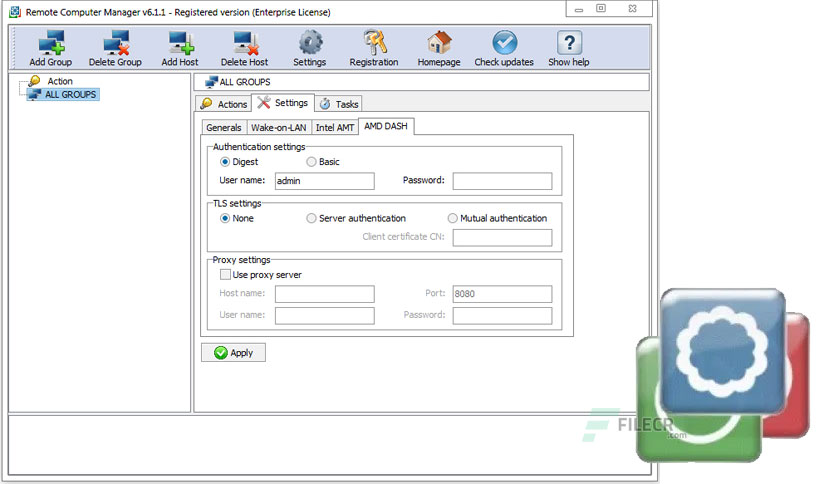
Free Download Remote Computer Manager Enterprise full version standalone offline installer for Windows is a network utility for remote computer management.
Overview of Remote Computer Manager Enterprise
The program allows network administrators to centrally manage network PCs and make: remote desktop control, remote shutdown, run (execute) commands, launch applications and processes, Wake-on-LAN over IPv4, Wake on LAN over IPv6, lock workstation, log on, log off, sleep, hibernate, wake up, reboot, power on, power off, lock and unlock input devices, registry merge, file copy, installation of MSI packages, clock (time) synchronization and other remote operations for computers on the network (Windows and Linux PCs).
Using Remote Computer Manager, you can perform a remote shutdown, power on (turn on), power off (turn off) and restart (reset) the remote computer with Intel AMT (Active Management Technology) and AMD DASH (Desktop and Mobile Architecture for System Hardware). The program can also retrieve a list of remote processes and services, netstat information, a screenshot, registry entries, vlogs log entries, and other details for each PC.
Using the application, you can make remote operations on one or multiple network computers with one click. Remote operations can be executed automatically according to a defined schedule to organize fully automatic computer management for your company. The software supports the IPv4 and IPv6 protocols and can be run as a service.
Features of Remote Computer Manager Enterprise
• Remote desktop control.
• Actions with processes (Get a list, create, and terminate processes) on remote computers.
• Operations with services (Get a list, install and uninstall, start and stop service) on LAN PCs.
• View the registry of the network PC.
• Browse event logs of network computers.
• Remote command prompt.
• Launch (execute) applications and files on remote PCs.
• Taking netstat information of remote computers.
• Taking screenshots of network PCs.
• File operations (send a file, get the file, copy the file, move a file, rename the file, and delete the file) on LAN computers.
• Actions with the registry (create key, add/edit value) on network PCs.
• Merge registry files with the registry of network computers.
• Installation of MSI packages on remote PCs.
• Remote shutdown, reboot, and power off with DCOM and WMI for Windows PCs.
• Remote reboot, shutdown, and power off with SSH for Linux PCs.
• Turn on, shut down, reboot, and turn off network computers with Intel AMT (vPro) and AMD DASH.
• Wake on LAN over IPv4 and IPv6.
• Wake up network computers with the magic packet.
• Switching network PC’s into sleep and hibernate state.
• Logon and logoff users on remote computers.
• Lock workstation, lock and unlock input devices on network PCs.
• Send messages to network computers.
• Browse files of LAN computers.
• Time zone and time synchronization on remote PCs.
Technical Details and System Requirements
- Supported OS: Windows 11, Windows 10, Windows 8.1, Windows 7
- RAM (Memory): 2 GB RAM (4 GB recommended)
- Free Hard Disk Space: 200 MB or more
Leave a comment
Your email address will not be published. Required fields are marked *