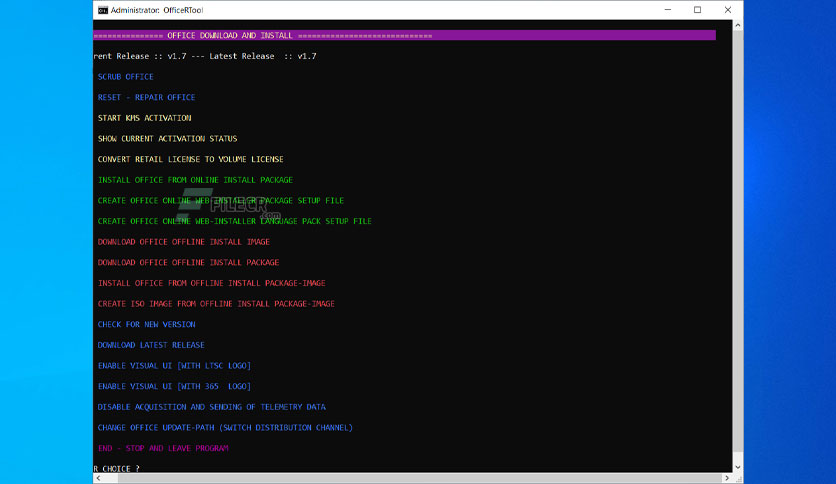
Free Download Office(R)Tool standalone offline installer for Windows. It is an advanced tool for installing, activating, and configuring MS Office 2016, 2019, and 2021.
Overview of Office R Tool
An advanced tool to install, activate, and configure MS Office 2016, 2019, and 2021.
Features of Office(R)Tool
- Scrub Office
- Reset — Repair Office
- Start KMS Activation
- Show Current Activation Status
- Convert Retail License To Volume License
- Install Office From the Online Install Package
- Create Office Online Web Installer Package Setup File
- Create Office Online Web-installer Language Pack Setup File
- Download Office Offline Install Image
- Download Office Offline Install Package
- Install Office from Offline Install Package image
- Create an Iso Image From an Offline Install Package-image
- Check For a New Version
- Download Latest Release
- Enable Visual Ui[with Ltsc Logo]
- Enable Visual Ui[with 365 Logo]
- Disable Acquisition And Sending Of Telemetry Data
- Change Office Update-path (switch Distribution Channel)
Technical Details and System Requirements
- Supported OS: Windows 11, Windows 10, Windows 8.1, Windows 7
- RAM (Memory): 2 GB RAM (4 GB recommended)
- Free Hard Disk Space: 200 MB or more
Leave a comment
Your email address will not be published. Required fields are marked *